For iPhone, iPad, Mac and Apple Watch

There's a chameleon in your phone.

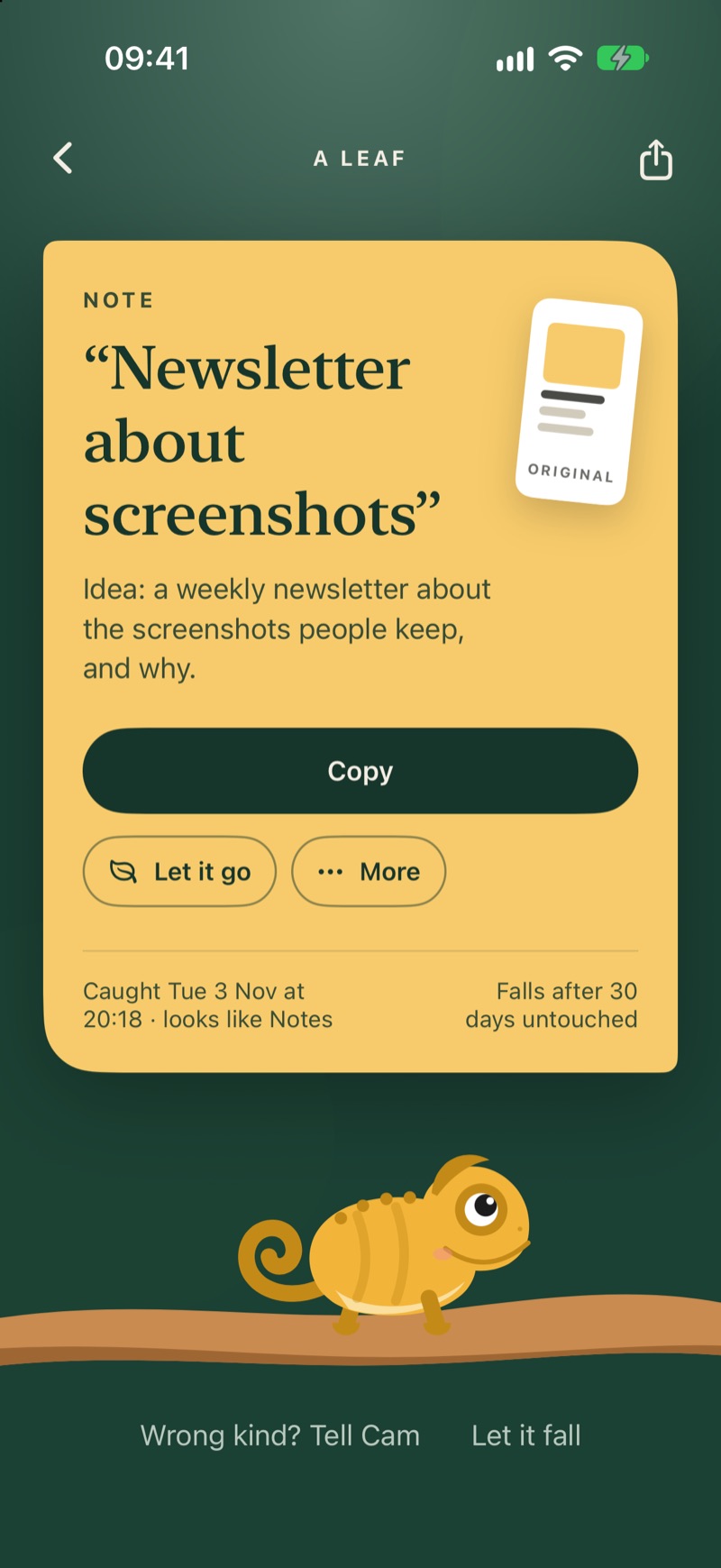
He catches your screenshots and turns them into leaves you can use. The dinner goes in your calendar, the restaurant opens in Maps, the recipe reads itself to you while you cook.

Download on the App StoreSee what he does

Seven kinds of leaf.

Screenshot a menu, a flight, a dinner plan, a product, a recipe or a shipping email. Each leaf has one thing to do next.

Place

Chez Janou

Paris 3e · open until 23:00

Open in Maps
How it works

  1. 1

    Take a screenshot

    Of anything, in any app, the way you always do.

  2. 2

    Cam catches it

    From the Dynamic Island, with Siri, the Action button, Back Tap or the + button. With Cam Pro he catches on his own.

  3. 3

    It's a leaf

    The address, the time, the price or the tracking number, read on your device, with one button for what comes next.
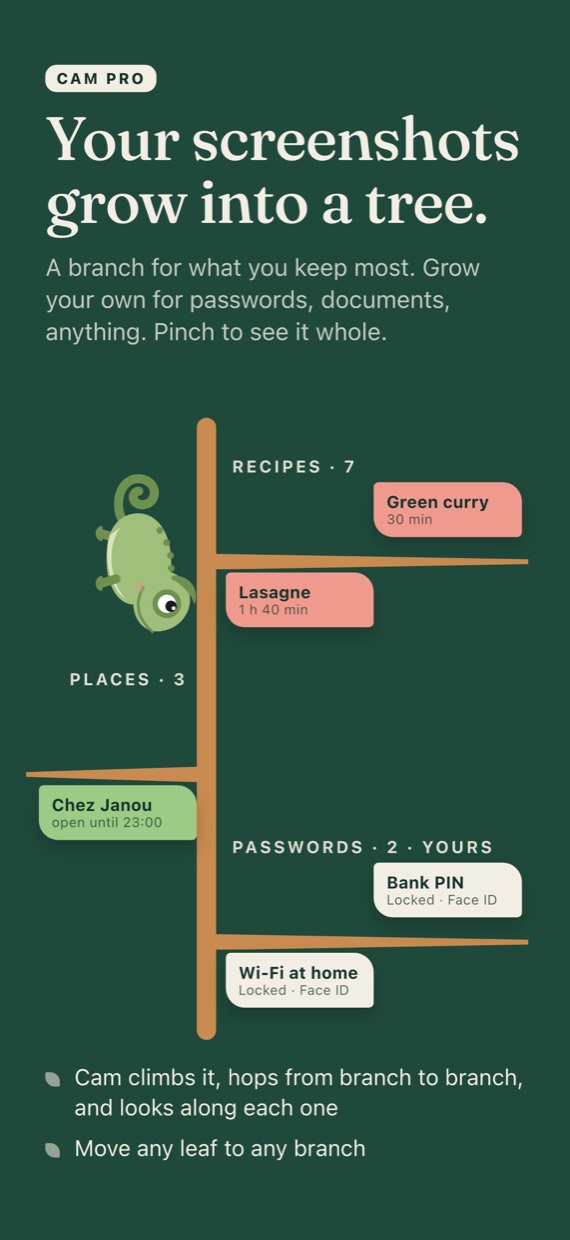
Home as a tree, with a branch for each kind of leaf

The tree

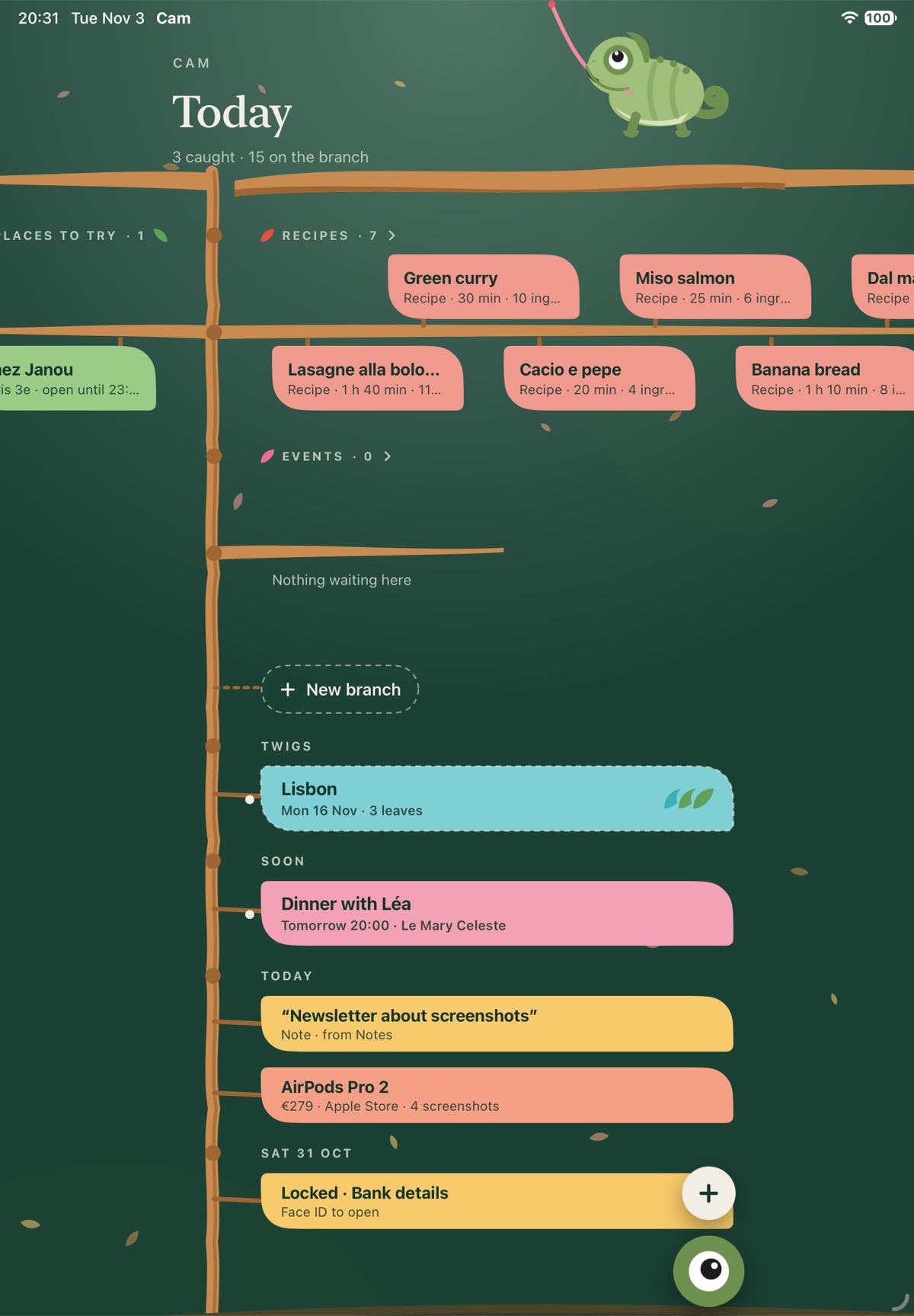
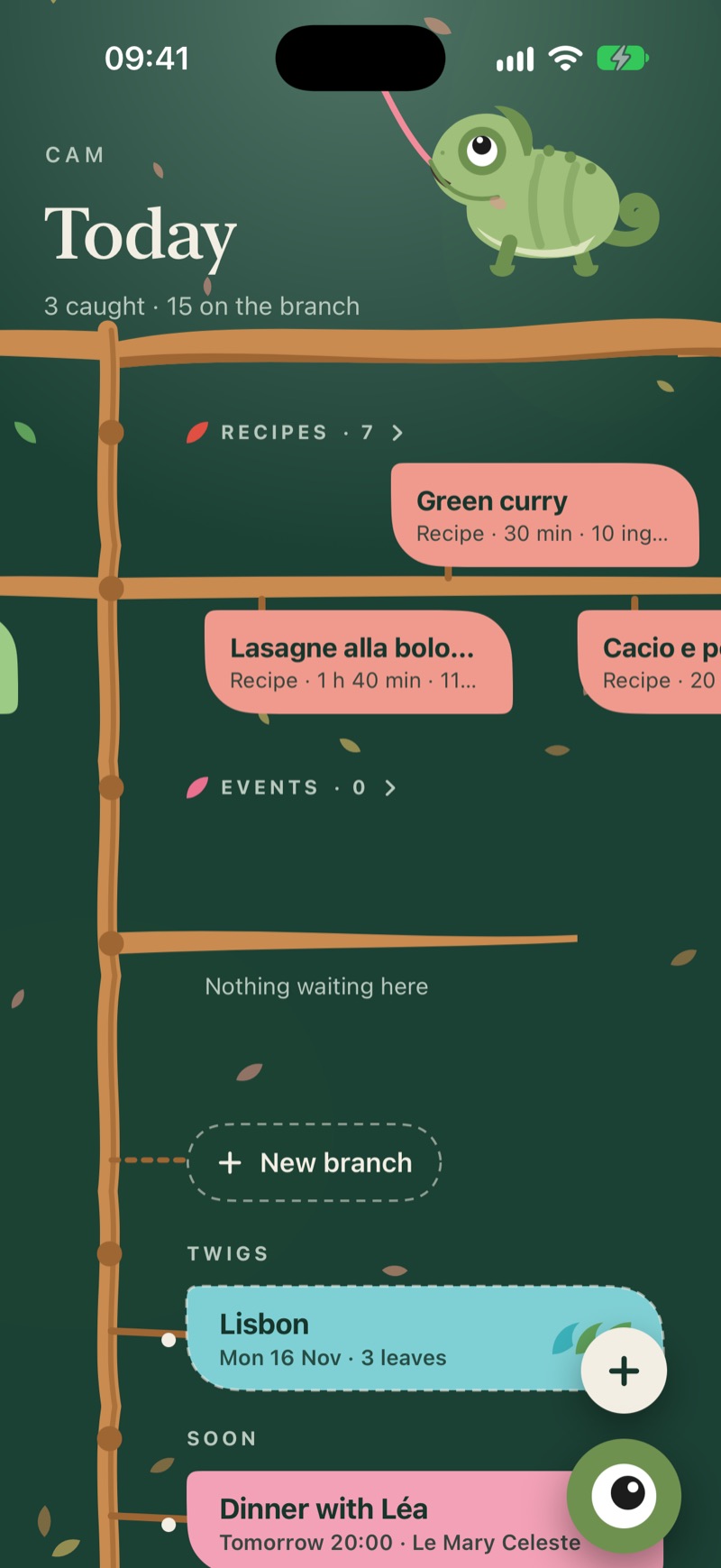
Your screenshots grow into a tree.

When one kind piles up, Cam grows it a branch of its own. Home becomes a tree you can pinch to see whole, and between catches he climbs it, hops from branch to branch and looks along each one.
  • Recipes become a cookbook that asks "Made it?"
  • Places to try show a map and what's open now
  • The wishlist adds up what's on it and what you didn't spend
  • Articles wait in a reading pile, shortest first
  • Branches of your own: passwords, documents, receipts, anything. Cam suggests one when two leaves look alike
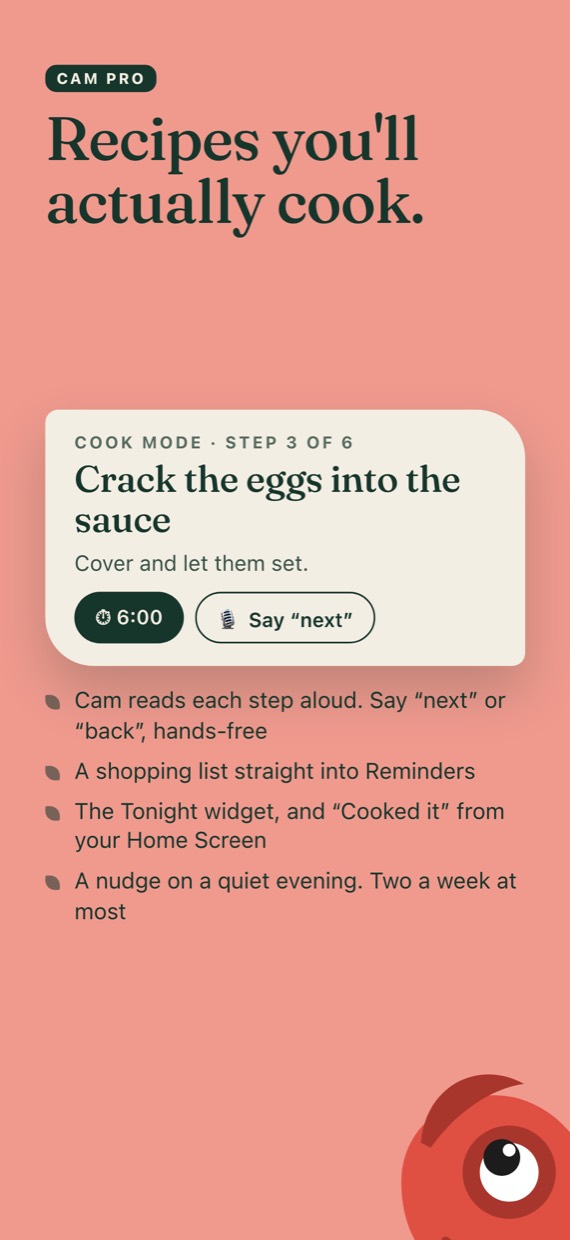
Hands-free Cook mode reading a recipe step

In the kitchen

He reads the recipe. You keep your hands in the dough.

Hands-free Cook mode reads each step aloud and listens for "next", "back" and "again". Speech recognition runs on your device only.
  • Steps that say how long get a timer
  • A shopping list from the recipes you pick, straight into Reminders
  • The Tonight widget, with "Cooked it" on your Home Screen and Lock Screen
  • Cook mode on Apple Watch
A ticket on the Lock Screen with gate, seat and booking reference

On the day

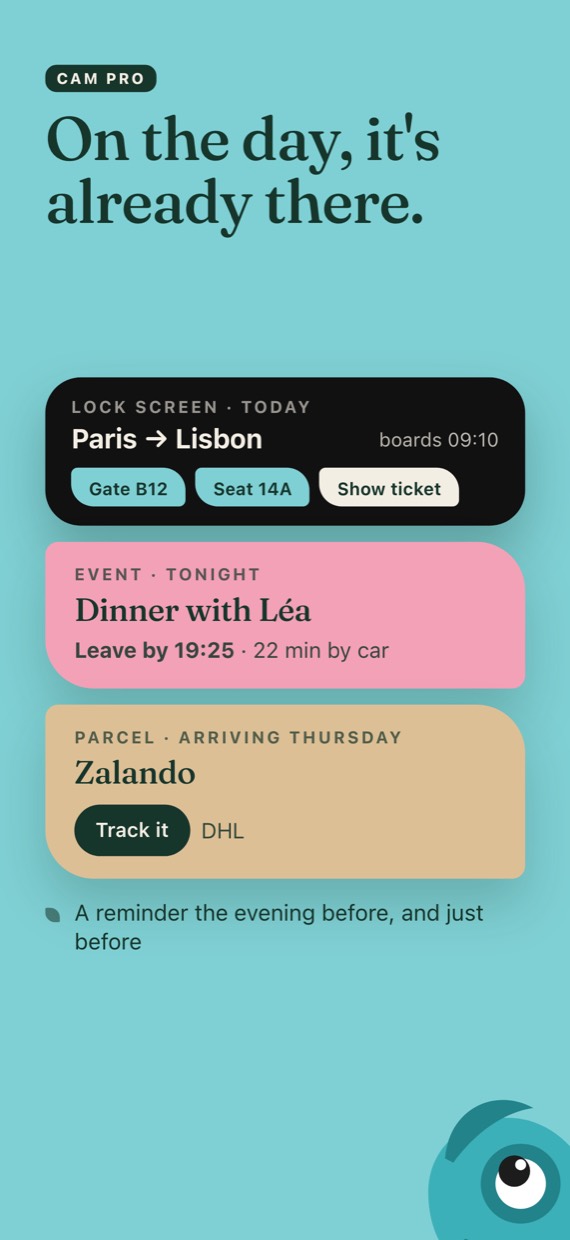
He knows when you have to leave.

From six hours before, your ticket counts down on the Lock Screen with your gate, seat and booking reference, and opens full screen in one tap.
  • Leave on time: Apple Maps' travel time and a nudge ten minutes before you should set off, by car, public transport or on foot
  • A reminder before your plans
  • A nudge when you're near a place you saved
  • Parcels say "Arriving Thursday", with Track it one tap away
A product leaf showing a price drop

When you shop

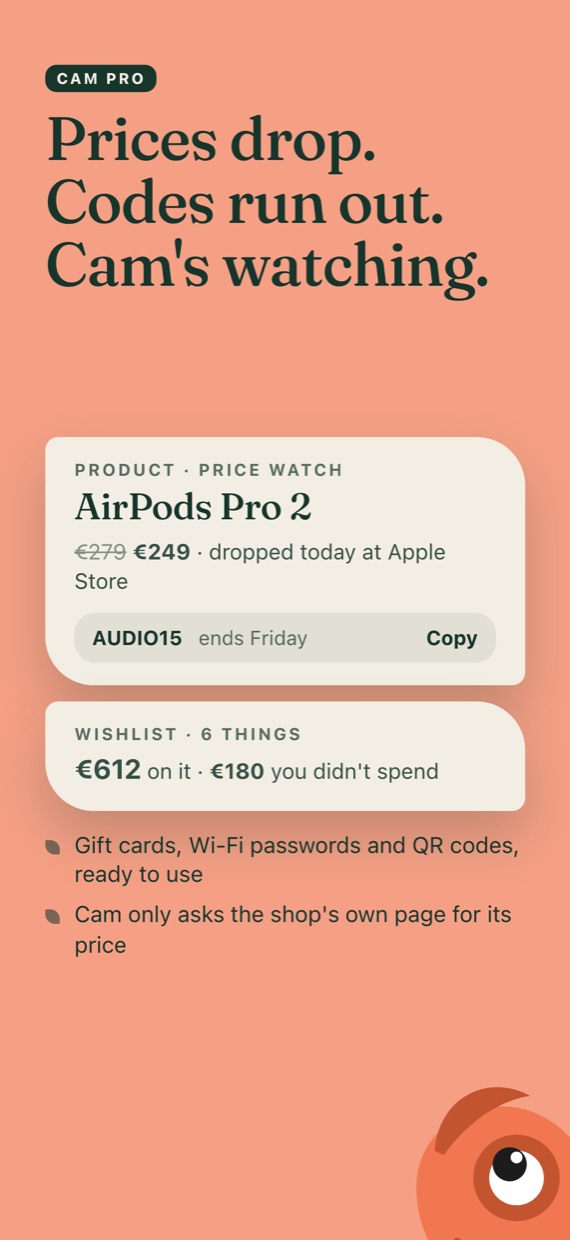
The price dropped. He noticed.

Price watch checks the shop's own page twice a day and tells you when the price falls. It only ever asks that one page.
  • Discount codes warn you before they run out
  • Wi-Fi passwords, gift cards and QR codes at hand
  • The wishlist knows what you didn't spend
The Sunday tidy, one leaf at a time

Keeping it tidy

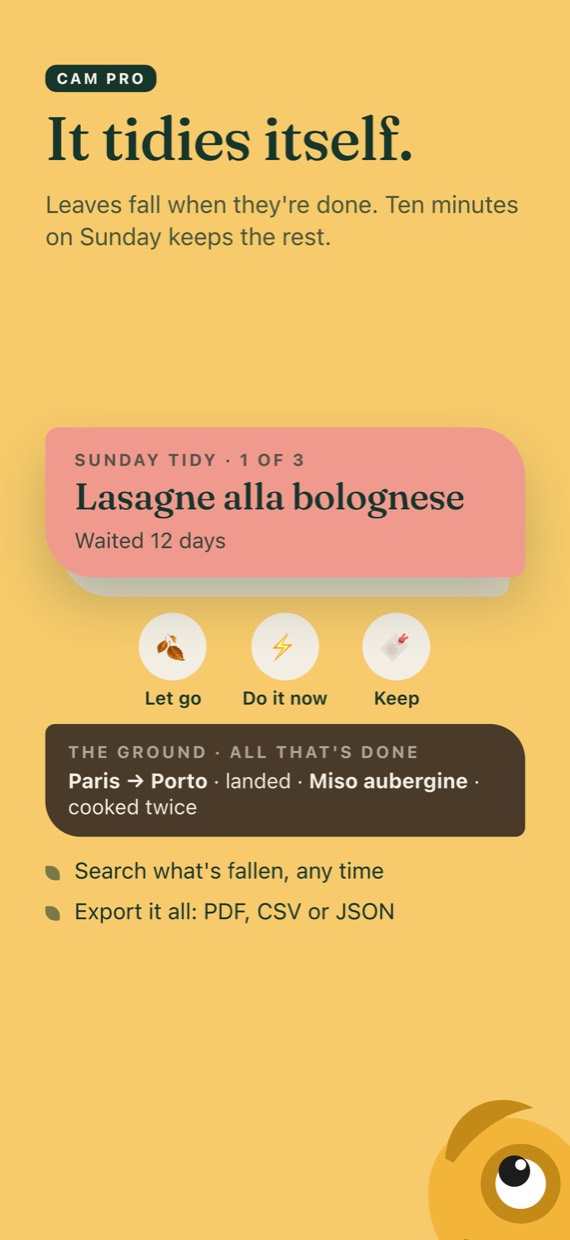
When it's done, it falls.

Leaves ripen as their moment comes and fall to the ground when they're done: an event after it's over, a trip after you land, a note after a month untouched. Your branch stays short, and anything that fell can still be found.
  • Sunday tidy: the leaves that have waited longest, one card at a time. Keep, let go or do it now
  • Clean up Photos: the screenshots you've caught, gone from your library when you say so
  • "A year ago": what you were saving this time last year
  • Export as PDF, CSV or JSON. They're yours
Cam in his wardrobe, and the weekly dare

A little life

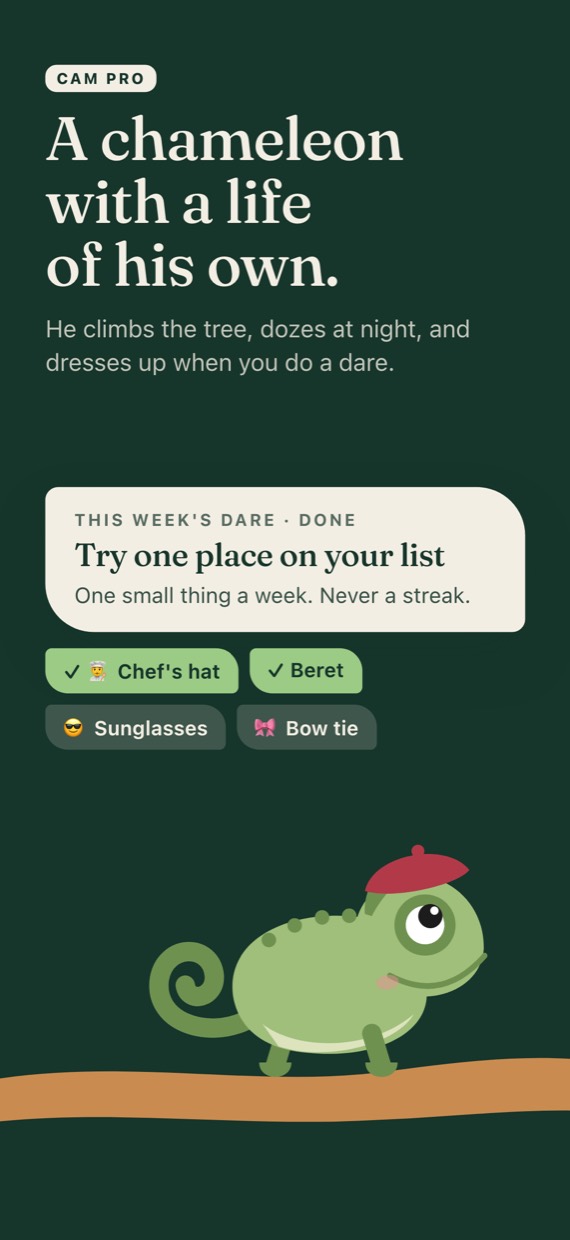
He's alive, and a bit of a dandy.

"Green curry has waited 11 days, and it only takes 30 min. Tonight?" Nudges come at a good moment, two a week at most, and you can answer right from the notification.
  • One small dare a week, never a streak
  • Dares earn Cam a wardrobe: chef's hat, beret, sunglasses, reading glasses, bow tie, flower crown
  • Moods through the day, and seasons through the year
  • App icons in the colour of each kind
All the ways to catch a screenshot, and the promise that everything stays on your device

Anywhere, and private

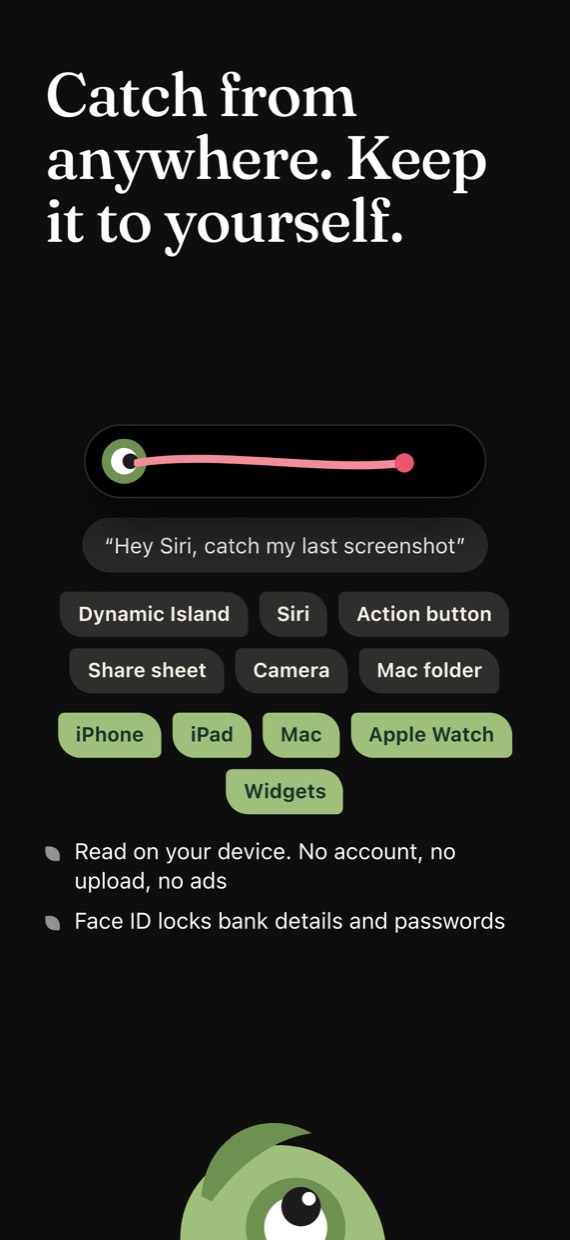
Catch from anywhere. It never leaves your device.

Cam reads screenshots on your device, with Apple's on-device text recognition and Apple Intelligence where available. There's no account, nothing is uploaded, and no data is collected.
  • His eye rests in the Dynamic Island: catch with a tap from any app
  • "Catch my last screenshot" with Siri
  • One press of the Action button or Back Tap
  • The share sheet, the + from Photos, the camera, and a folder on your Mac
  • Face ID locks leaves with bank details, card numbers, passwords or recovery keys
Ask Cam answering a question from your leaves

Ask Cam

"When's dinner with Léa?"

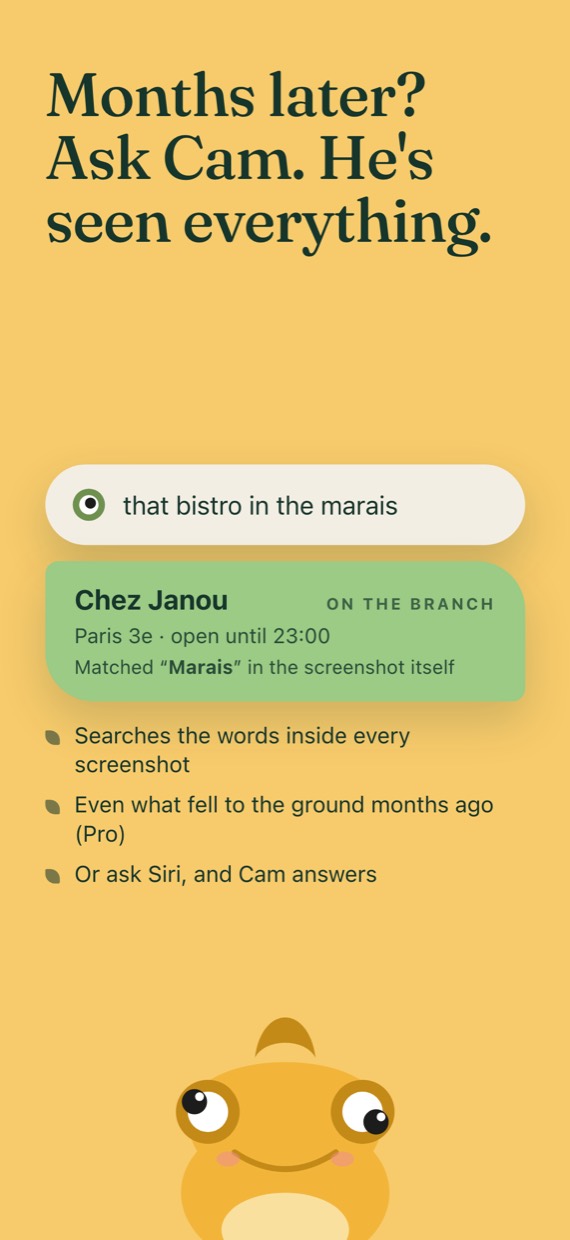
Search finds the words inside your screenshots, and Ask Cam answers questions from your leaves, on your device.
  • Siri and Shortcuts know your leaves
  • Find them from iPhone Search
  • Translate and Add to Contacts, right from a leaf

At home on everything you carry.

Cam on iPad: the tree spreads across the whole screen
Cam on iPhone: Home with Cam on his branch and leaves hanging below
A leaf open on iPhone, with its details and one thing to do next
  • iPhoneiOS 18 or later, with Cam in the Dynamic Island
  • iPadThe tree spreads across the whole screen
  • MacApple silicon. New pictures in a folder you choose become leaves
  • Apple WatchWhat's next on your wrist, and Cook mode too
  • WidgetsTonight and what's next, on Home Screen and Lock Screen
  • LanguagesEnglish, German, French and Albanian

Free to meet. Pro to keep.

Free

€0

  • Cam catches when you ask
  • Each leaf opens for a day after it's caught
  • All seven kinds, parcels included
  • Screenshots from other apps wait for you
  • Export your leaves as CSV or JSON
  • On iPhone, iPad and Mac

Cam Pro

€4.99 a month or €30 once

  • Every leaf, any time
  • Cam catches new screenshots on his own
  • The ground, search and Ask Cam
  • The tree, with branches of your own
  • Reminders, Leave on time and nearby nudges
  • Tickets on the day
  • Price watch, codes, Wi-Fi passwords and QR codes
  • Hands-free Cook mode, Translate, Add to Contacts
  • Nudges, the weekly dare and Cam's wardrobe
  • The Sunday tidy, and twigs for a trip's places
  • Face ID for private leaves
  • Clean up Photos, iPhone Search, Siri and Shortcuts, the Apple Watch app, app icons, PDF export, seasons and more

The subscription renews automatically unless it's cancelled at least 24 hours before the end of the current period. Manage or cancel it in Settings, under your name, then Subscriptions. Prices can vary by country.

Questions

When can I get Cam?

Cam is on the App Store for iPhone, iPad, Macs with Apple silicon and Apple Watch.

Does Cam upload my screenshots?

No. Cam reads screenshots on your device, with Apple's on-device text recognition and Apple Intelligence where available. There's no account, nothing is uploaded and no data is collected. Read the privacy policy.

Can Cam see all my photos?

Cam only asks for what a feature needs, when it needs it. It works from your Screenshots album, and you can also pick a picture with the + button.

What's free, and what's in Cam Pro?

On Free, Cam catches when you ask, and each leaf opens for a day after it's caught. Cam Pro adds every leaf at any time, automatic catching, the tree, search, Ask Cam, reminders, tickets, price watch, Cook mode and more.

How much is Cam Pro?

€4.99 a month, or €30 once. Prices can vary by country and appear in the app before you buy.

Which devices does Cam run on?

iPhone and iPad with iOS 18 or later, Macs with Apple silicon, and Apple Watch with watchOS 11 or later.

Which languages does Cam speak?

English, German, French and Albanian.

I need help.

Visit Cam support or write to dev@bejtullahu.software.